Check cameras without leaving the dashboard
Open compatible camera feeds from HomeDeck and expand a feed when you need a clearer view. The camera area stays connected to the rooms and controls you already use.
Answer a HomeKit doorbell call full screen
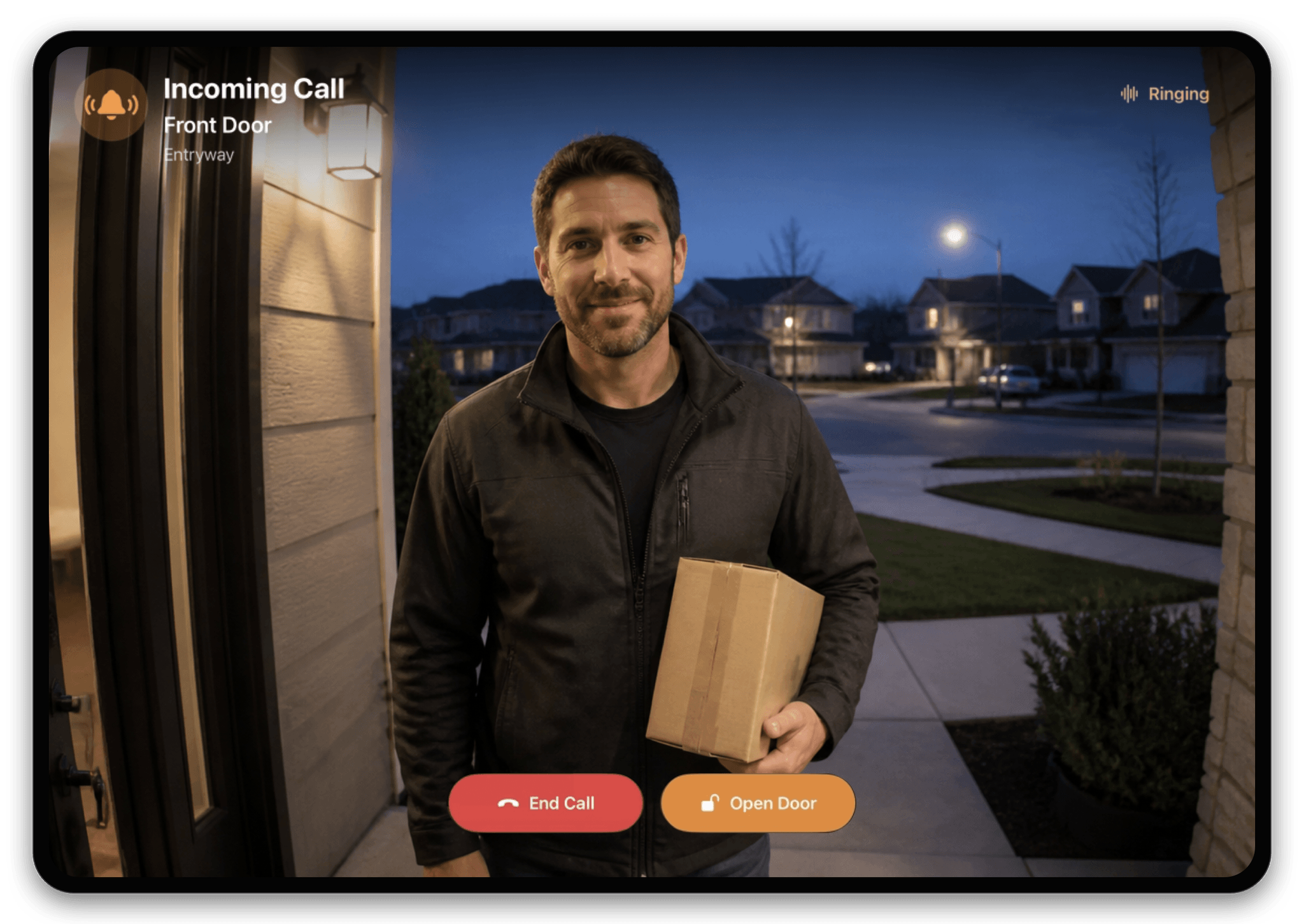
When HomeDeck is active on iPad, a call from a compatible HomeKit video doorbell opens automatically across the full screen. See live video or the latest snapshot, then use the actions supported by the accessory to answer or end the call, talk to the visitor, and control the door without searching through the dashboard.
See security context beside the picture
Door locks, sensors, and the security state can remain visible beside camera access, so you can understand what is happening without jumping between unrelated screens.
Use the permissions already configured in Apple Home
HomeDeck presents the Apple Home data available to the current user. Camera and accessory access therefore follows the home and account permissions you have already set up.